M-Audio FireWire audio interfaces on Mac OS 9, X and Linux
Introduction
Over 5 years ago, I purchased an M-Audio FireWire 410 audio interface from eBay, planning to use it with my Mac mini G4 running Mac OS 9.2.2. Unfortunately, when I installed the driver, shut the machine down, plugged in the interface and rebooted, it didn't work.
The control panel couldn't see it and if I recall correctly the computer would even hang once at the desktop. Trying to use the interface with Mac OS X 10.5 (Leopard) proved that it did work correctly. I gave up on the idea of running it with OS 9 and used the interface with my Linux PC that has a FireWire card installed.
Although I had managed to salvage some use from my cheap eBay find, I was still pretty disappointed. Searching online revealed that, at some point, the M-Audio drivers had updated the firmware of the FireWire 410 and broken compatibility with Mac OS 9.
I tried installing old M-Audio drivers on Leopard to try to downgrade the firmware, but it didn't help (in fact just it meant the interface refused to work even on Leopard).
All was lost... until I recently stumbled across a thread on MacOS9Lives where the user visibleprism had figured out how to revert to an older firmware.
The first method discovered used Windows XP, which would have been doable but a bit awkward, but further down the thread the user turbo.d had managed to get the downgrade to work from a Mac running OS X 10.4.11 (Tiger), and remarked that it is not possible from Leopard.
That was what I had been missing all along! Below are instructions on how to complete this firmware downgrade yourself.
Since M-Audio decided to remove the driver files from their website as of October 2024, I have mirrored the relevant files here. To be fair to them, the product line was discontinued around 2012, so they provided downloads for 12 years after - not bad!
Although I will be showing screenshots made using a FireWire 410, I have also done this with a FireWire Audiophile interface. It should also work for the FireWire 1814. All these interfaces use the same driver files (which is not immediately apparent given the range of different drivers online).
I tested these steps with both a Power Mac G5 and the aforementioned Mac mini G4.
FireWire ports
Before we start, it's worth noting that these audio interfaces have two FireWire ports (as most FireWire devices do, to allow them to be daisy-chained).
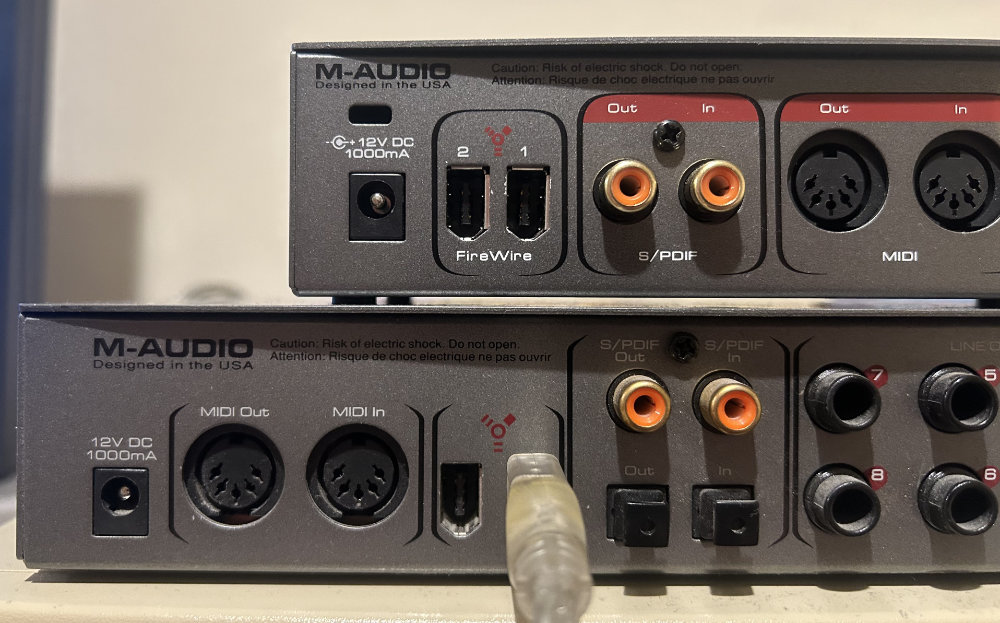
I have found that it is very important to connect the interface to your computer using the correct FireWire port. This is the one on the right hand side when looking at the interface from the back (the one furthest from the DC jack).
For clarity, it is the port labelled '1' on the FireWire Audiophile. The FireWire 410 is unhelpfully not labelled, so I photographed it with a cable plugged into the correct port.
Firmware downgrade instructions
Download FireWire_OSX_1_6_Build_1174.dmg and install it on your Mac running OS X 10.4.11 or below. As the installer reminds you, do not connect the interface yet.
Shut the Mac down and connect the interface.
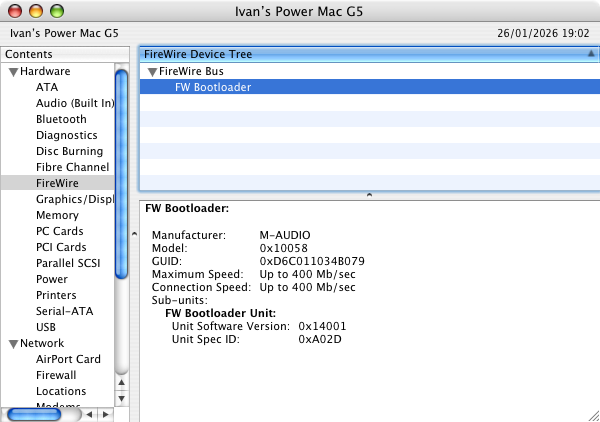
Power on the Mac and wait for the firmware to be loaded. While the firmware is loading, the interface will appear in System Profiler as 'FW Bootloader'.
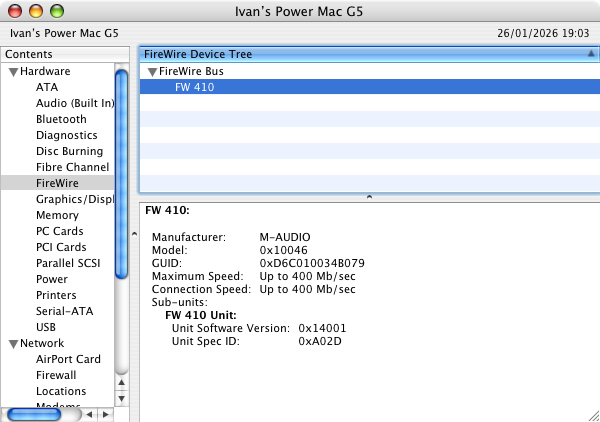
Once the firmware has loaded, you will see 'FW 410' (or the correct name for your interface) in System Profiler. You can refresh System Profiler by pressing ⌘-R or using the menu.
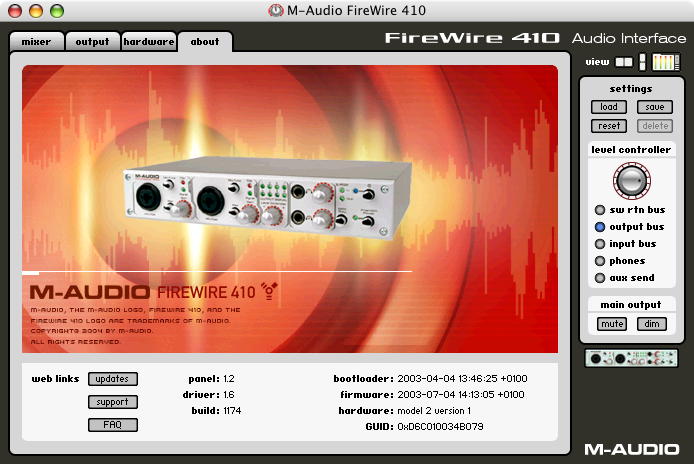
After this is done, you can load the control panel through System Preferences and check the firmware version.
Finally, shut down the Mac and disconnect the interface. It is now ready to be connected to a computer running Mac OS 9.
Installing the drivers on Mac OS 9
Download FWUni_OS9_1_0_4_install.bin to your machine running Mac OS 9.2.2. Unpack it with StuffIt Expander or your preferred utility. Make sure the interface is disconnected and then install the drivers.
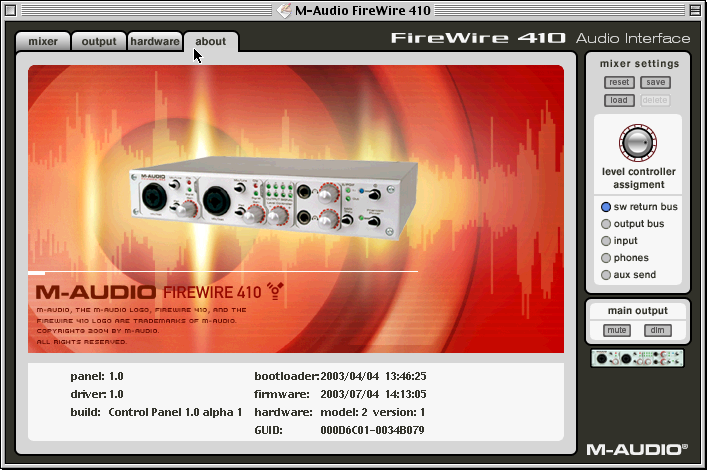
After that, shut the Mac down and connect the interface. If all went well, you should be able to launch the control panel, and to select the interface as an input and/or output in the Sound control panel.
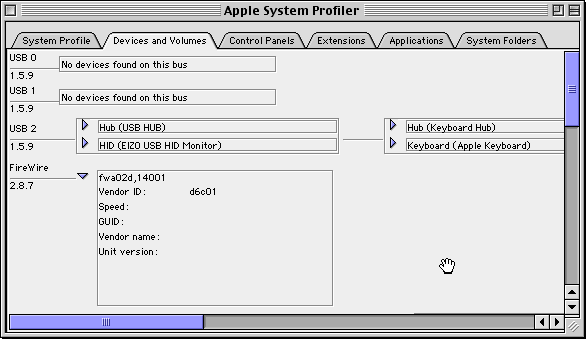
Just for completeness, I will include this screenshot of Apple System Profiler, showing that the FireWire 410 is connected (in a rather ugly way).
This is great, but when I tried to use the interface with my PC running Kubuntu 25.10, it was detected but produced no sound!
It was working fine before the downgrade. It seems that the FireWire audio drivers on Linux want the new (post-Leopard) version of the M-Audio firmware installed…
Firmware upgrade instructions
These are pretty much the same as the instructions to downgrade the firmware, but I have included screenshots to make the process as clear as possible.
Download FireWire_OSX_1_9_3.dmg and install it on your Mac running OS X 10.4.11 or above. As the installer reminds you, do not connect the interface yet.
Shut the Mac down and connect the interface.
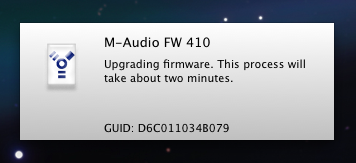
Power on the Mac and wait for the firmware to be loaded. Unlike with version 1.6 of the driver, a notification that the firmware is being updated is shown at the bottom of the screen.
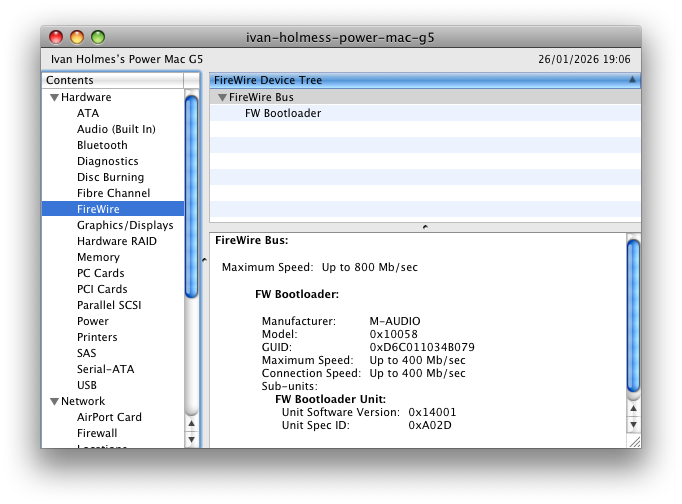
While the firmware is loading, the interface will appear in System Profiler as 'FW Bootloader'.
Once the firmware has loaded, you will see 'FW 410' (or the correct name for your interface) in System Profiler. You can refresh System Profiler by pressing ⌘-R or using the menu.
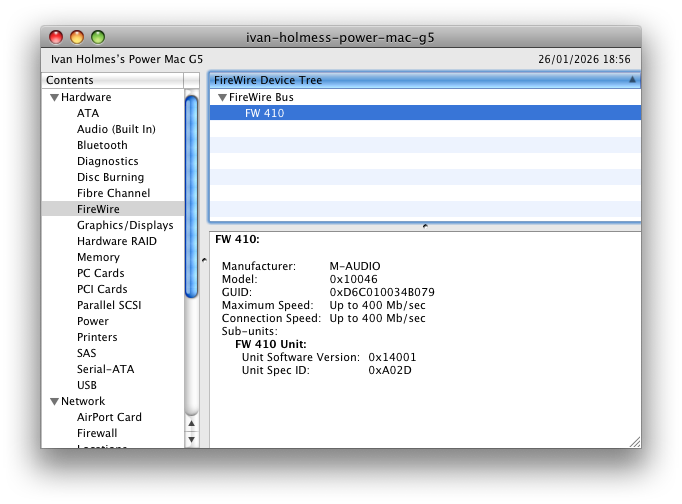
After this is done, you can load the control panel through System Preferences and check the firmware version.
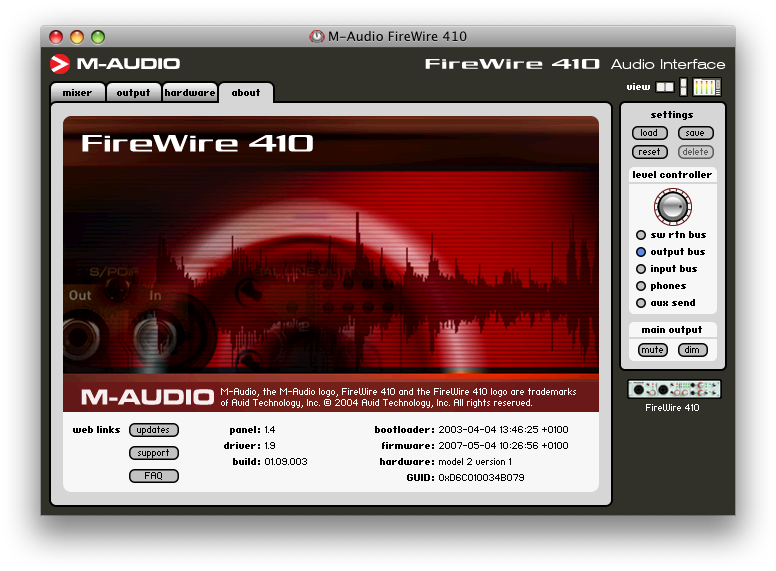
Finally, shut down the Mac and disconnect the interface. It is now ready to be connected to a computer running Mac OS X (with driver 1.9) or Linux.
Results
This shows that it's possible to both upgrade and downgrade the firmware on M-Audio FireWire audio interfaces to suit different computer systems.
As a consequence of this, you should be able to buy any random example from eBay (or similar, and hopefully for a cheap price) and flash the firmware you need. Of course, there are no guarantees (although I would be interested to hear if there are hardware revisions for which this doesn't work).
Tips
If, like me, you want to be able to use the interface with both old and modern operating systems, and you have a Mac with both OS X Tiger and Leopard installed, you could install driver version 1.6 on Tiger and driver 1.9 on Leopard.
That way, merely booting the Mac up into Tiger with the interface connected installs the correct firmware for use with Mac OS 9 and pre-Tiger systems.
Booting into Leopard will install the correct firmware for Leopard and newer, and also Linux (tested with Kubuntu 25.10).
Additional files
If you have an Intel Mac with FireWire, you may be interested in M-Audio_FireWire_1-11.2.dmg. I haven't tested this myself as I don't have any functional Intel Macs at the moment.
For PowerPC models, you may be interested in FireWire_OSX_1_2_4.dmg or FireWire_OSX_1_5_3.dmg, although I have not found any particular use for them myself.
Conclusion
These M-Audio FireWire audio interfaces are very good and very cheap on the used market, as they are no longer supported on modern versions of macOS and new hardware doesn't have FireWire anyway.
Understanding how they work better, and mirroring the necessary driver versions for this procedure, should help them to be used for as long as possible.
I doubt that this article is entirely accurate from a technical perspective, but I don't have any need to investigate the details further. However, if you know something I don't, I would be very happy to publish your corrections.
Hopefully this article was useful to you. If you find any mistakes or anything I have overlooked in this article, or simply have comments, please contact me by emailing ivan @ the address of this website.
If your name is M-Audio and you have an issue with me making your old drivers available to download, I will be happy to remove the files when you make them available on your own website again!